Manual sales, your own bot or a platform: a decision worksheet
Keep selling by hand, run your own Telegram bot or use a platform? A four-step worksheet on current fit, responsibility, product type and payment rules.
Write clear digital product descriptions with requirements, duration, delivery and support. Includes a copyable template and a fictional before/after example.
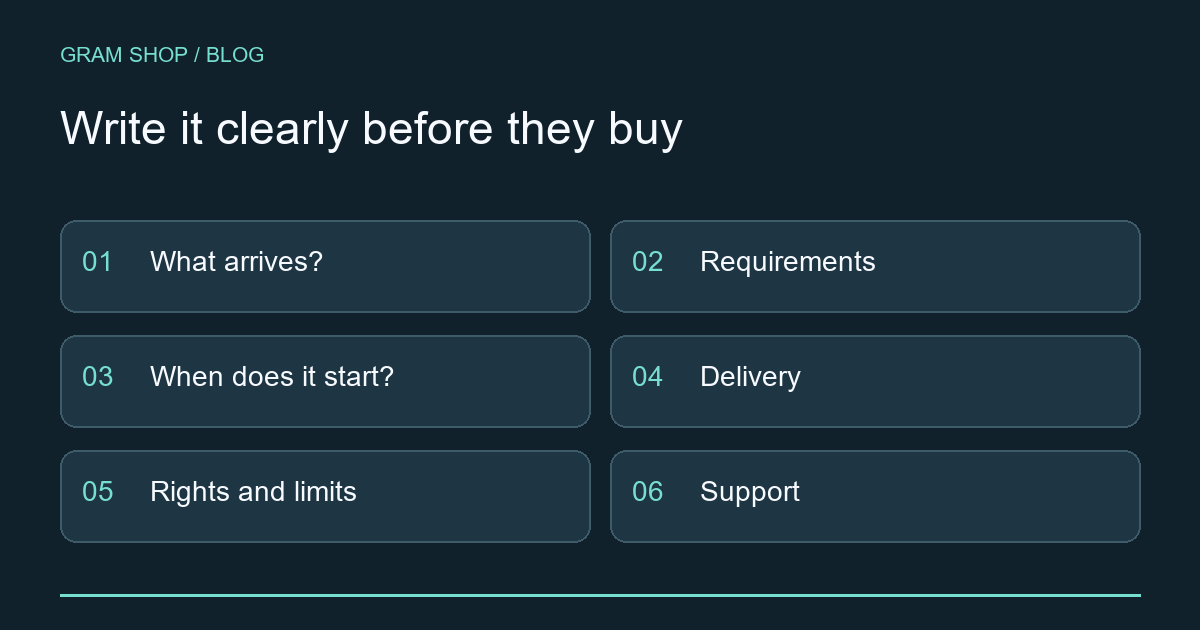
“30-day key, fast delivery, full support” leaves buyers guessing. Will it work on their computer? When do the 30 days start? Who handles activation errors? Write so buyers can check what they receive, whether they can use it and what happens after purchase.
This guide is for merchants selling keys or access they are authorized to distribute. Product names and terms in the example are fictional.
Open the supplier documentation and your current shop policies. Check the edition, operating system, region and distribution rights. Resolve uncertain conditions before accepting orders that depend on them.
Review support conversations you are authorized to access. Record question topics separately, leaving out names, order references and sensitive content. “Does it work on macOS?” is a useful topic. A buyer's login details do not belong in this worksheet.
The questions here are editorial prompts, not findings from Gram Shop customer research. Replace them with your shop's questions. Shopify's writing guidance also recommends answering buyer questions and supporting product claims with evidence.
| Information | What to specify |
|---|---|
| What arrives? | Product type, edition and number of keys or seats. Distinguish an activation key from a ready-made account. |
| Where does it work? | Operating system, application version, region, account requirements and supported device count. |
| How long does it last? | Duration, start event, activation deadline and renewal. Thirty days after activation differs from thirty days after purchase. |
| How is it received and activated? | Delivery channel, conditions, activation instructions and where to find the order. Give delivery estimates only when your operation supports them. |
| What use is included? | Usage rights, restrictions and exclusions. State whether device transfers or commercial use are permitted. |
| What if something fails? | Support channel, staffed hours with time zone, information to send and a link to the actual replacement or refund policy. |
Put a condition that could make the purchase unsuitable close to the product name. If the key works only on Windows, put Windows in the title. Explain the details below.
Before: “NoteDesk Pro, 30 days. Premium key, instant delivery, trusted warranty.” Buyers still cannot check whether it fits their computer and intended use.
NoteDesk Pro for Windows 11 · 1 device · 30 days from first activation
You receive one activation key for NoteDesk Pro on one Windows 11 computer. This illustrative plan is for personal note-taking. The macOS edition and shared team access are outside its scope.
Activate within seven days of purchase. Access starts at first activation and ends 30 days later. The plan does not renew automatically.
The key and instructions arrive through the channel stated in the order after payment confirmation and key allocation. If delivery information is missing, contact support with the order reference. Avoid placing another order just to try again.
The illustrative shop staffs support Monday to Friday, 09:00–18:00, UTC+7. Send the order reference, Windows version and an error screenshot with personal information hidden. Activation faults are reviewed under the support policy disclosed before purchase. Keep keys and passwords out of ordinary support messages.
Before adapting this example, replace every term with verified information. Add the real policy link and device-transfer conditions where supported.
Name: [Product] · [Platform/region] · [Device count] · [Duration]
Suitable for: [Specific use]
You receive: [Key/account/access, quantity, edition]
Requirements: [OS, application, region, account type]
Duration: [Length] from [Start event]
Activation deadline and renewal: [Verified conditions]
Delivery: [Channel, conditions, activation instructions]
Scope: [Usage rights, device transfers, exclusions]
Support: [Official channel, staffed hours, time zone, information to send]
Replacement/refund: [Actual policy link and relevant conditions]
A blank marks something to verify before publishing. Define what “lifetime” depends on before using it: the product, account or supplier. A promise of 24/7 support needs staffing or a process that can meet it.
Ask someone unfamiliar with the product to read the description on a phone. Have them point out what they receive, the eligibility conditions and when access ends. If you need to explain something aloud, revise the missing detail.
Check the title, description and policy in every language your shop uses. Keep device counts, duration start events and support scope consistent. This is an editorial worksheet, not a Gram Shop feature that automatically validates or synchronizes policies.
After editing, record which questions still arrive and which description the buyer saw. Use those observations for the next revision. This guide predicts no reduction in questions or increase in sales.
Choose the product you spend the most time explaining. Fill the template, verify the conditions with the supplier and check it on a phone. When evaluating operations, read the manual sales, custom bot or platform worksheet.
Want to discuss your shop's needs with Gram Shop? Send your shop requirements to request access. Gram Shop is preparing for Controlled Beta; a request does not confirm admission.
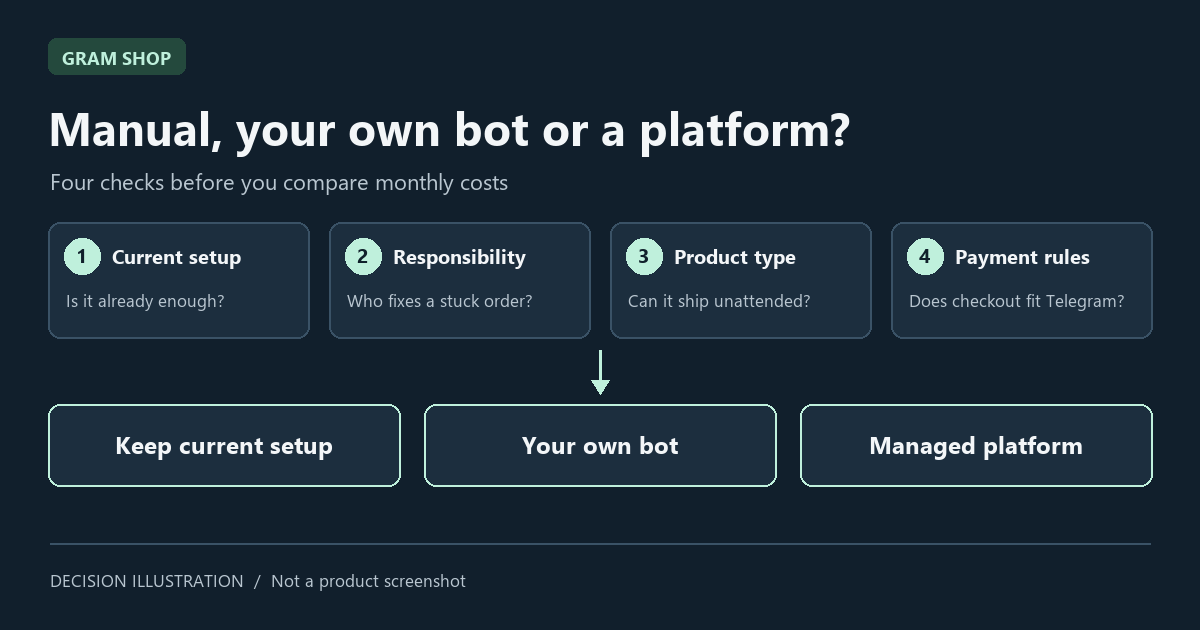
Keep selling by hand, run your own Telegram bot or use a platform? A four-step worksheet on current fit, responsibility, product type and payment rules.
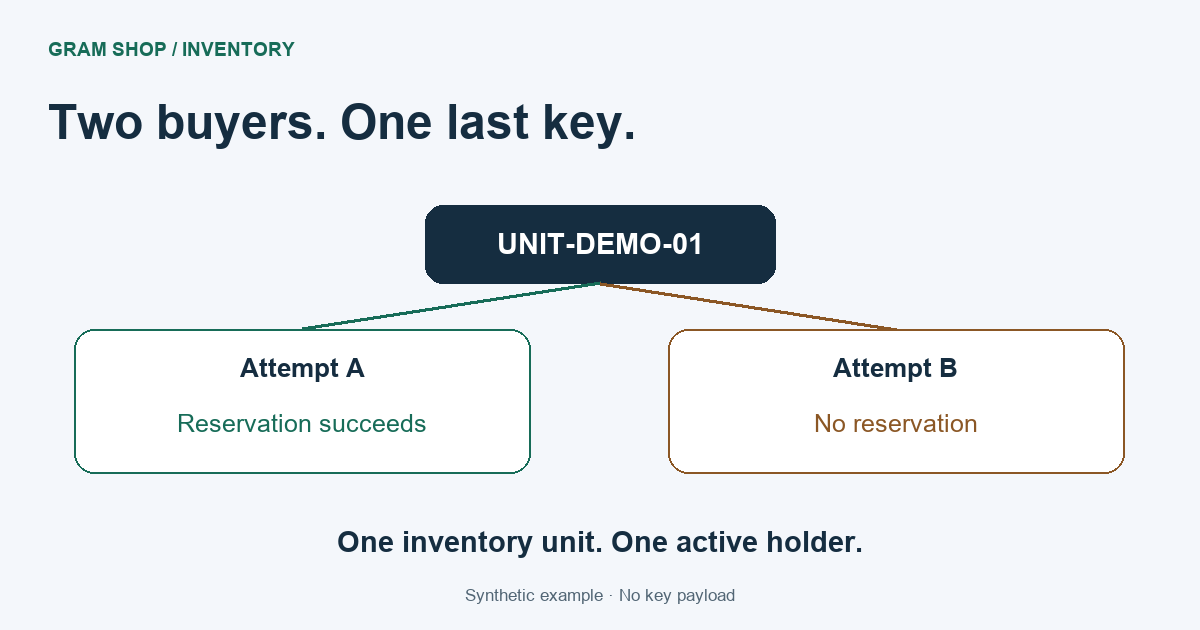
Avoid selling the last key twice. Trace two synthetic purchase attempts through stock display, reservation and sale, with an operator evidence checklist.
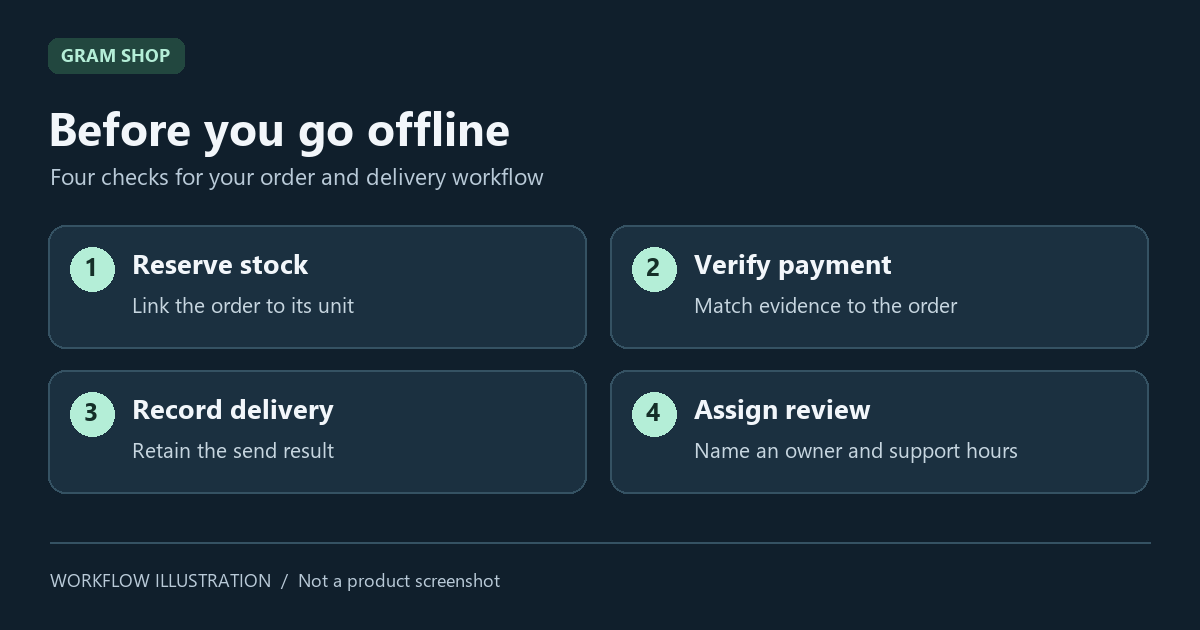
Check stock, payment evidence, key delivery and support hours before going offline. A practical workflow checklist for Telegram digital-product shop owners.
Gram Shop is in Controlled Beta. Tell us about your Stores and payment rails and we will set up your Team.